


Dogo — Puppy and Dog Training
4.64.17K Reviews
App Specs
- Version
- 10.45.0
- Updated On
- License
- Free
- Downloads
- 5,000,000+
- Developer
- Dogo
- Categories
- Education
- Platform
- Android, iOS
Screenshots

 Analysis by AppCompare
Ever found yourself staring into the soulful eyes of your new puppy, wondering how on earth you're going to transform this adorable ball of chaos into a well-behaved companion? That's where Dogo — Puppy and Dog Training comes in, a nifty little app that promises to make the journey from puppy pandemonium to obedient pooch a whole lot smoother.
Before the first lesson, decide what needs work
Training tends to go better when I pick one small, useful goal instead of trying to fix every habit at once. Maybe my dog rushes toward the door, ignores “come” in the yard, or gets overexcited when visitors arrive. Naming the situation gives each session a purpose and helps me judge whether an exercise is useful in everyday life, not just on a screen.
This is also where I’d set realistic expectations. A training app can organize ideas and demonstrate a technique, but it cannot see every detail of a dog’s body language or the distractions in a room. I still need to watch whether my dog is relaxed and engaged. If a session turns into frustration, I’d pause and make the task easier rather than pushing through because a lesson suggests moving on.
Getting Started with Dogo
Jumping into Dogo is as easy as pie. The app welcomes you with a user-friendly interface that even the most tech-challenged among us can navigate. Once you’ve set up your dog’s profile, which involves entering a few details like age and breed, you’re ready to dive into the treasure trove of training exercises.
Features That Stand Out
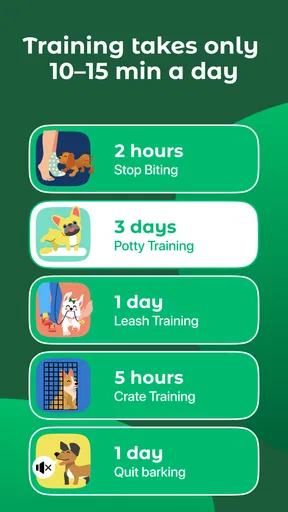
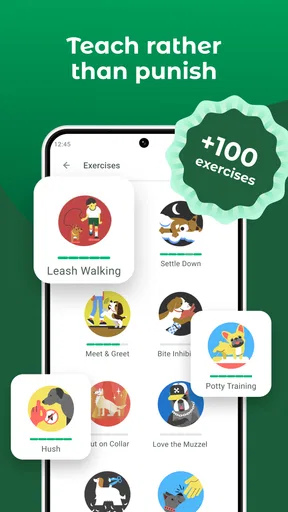
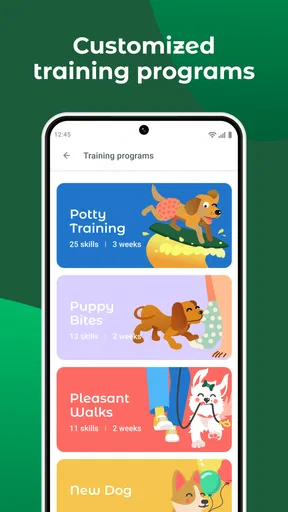
What truly sets Dogo apart is its array of features designed to cater to every dog owner’s needs. Whether you’re dealing with a stubborn dachshund or a hyperactive border collie, the app offers a variety of training programs. From basic commands like sit and stay to more advanced tricks, there’s something here for every level of doggy discipline.
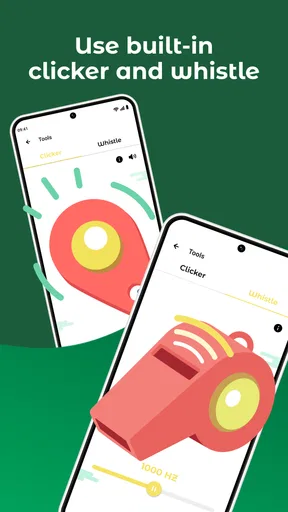
One feature I particularly love is the built-in clicker. No need to carry around extra gadgets — your phone becomes the ultimate training tool. This is not just convenient, but it also ensures consistency, which is key in training.
A practical routine from lesson to real life
I’d use a lesson as a rehearsal plan, then practice the same cue in the place where it matters. For example, if I’m working on a calm greeting, I can first follow the steps in a quiet room, then ask for the same behavior when a family member enters. The important handoff is from guided practice to an ordinary moment: the dog needs to learn that the cue still applies when the setting changes.
Worth Reading Before You Choose

EA SPORTS FC Mobile 26 Is a Bigger Football Game, but It Takes Time

Flipboard Shows What News Apps Must Do Beyond the Feed

Switching to Android Auto Means Rethinking Your Driving Routine

Google Calendar Makes a Crowded Week Easier to Manage

Ludo King Makes the Most of the Minutes Between Plans

Baby Panda World Brings Quick Play to Modern Phones, but Its Game Library Feels Busy
Short, predictable sessions are easier to fit into a busy day than one long block of training. I might practice a single behavior before a walk, then repeat it briefly later rather than turning the whole outing into a test. Keeping treats ready and the phone within reach makes the built-in clicker more useful, but I’d avoid handling the phone while crossing streets or supervising a dog near traffic. Safety comes before recording a perfect session.
It also helps to agree on the cue words and reward timing with everyone at home. If one person says “down” for lying on the floor and another uses it to mean getting off furniture, the dog receives mixed signals. Dogo can provide a shared point of reference for the exercise, but household consistency is still up to the people using it.
Interactive and Engaging
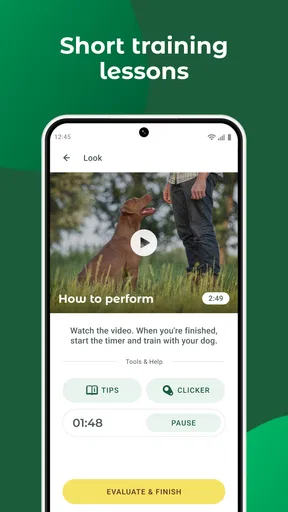
The app doesn't just throw instructions at you and leave you to fend for yourself. Instead, it takes an interactive approach, offering step-by-step video tutorials that make the process feel like a fun game rather than a chore. This interactive style is a game-changer, especially for first-time dog owners who might feel overwhelmed.
Plus, the app includes a community feature where you can connect with other dog owners. Sharing tips and stories with fellow users helps keep motivation high and training on track.
Using video and community advice thoughtfully
Video is particularly useful when I want to check the order of a movement or see what a hand signal looks like. I can watch once before starting, put the phone aside, and focus on the dog instead of repeatedly pausing a clip mid-session. That small adjustment keeps the interaction natural and makes it easier to notice whether the dog is responding to the cue or simply following a treat held in view.
The community can make practice feel less solitary, but another owner’s success story is not automatically the right plan for my dog. Dogs differ in confidence, energy, and the distractions they can handle. I’d treat shared tips as ideas to consider, not instructions to follow blindly, especially if a behavior involves fear, aggression, or a sudden change. For those situations, direct help from a qualified professional is a better choice than trying to solve a serious issue through app exercises or discussion alone.
Feedback and Progress Tracking
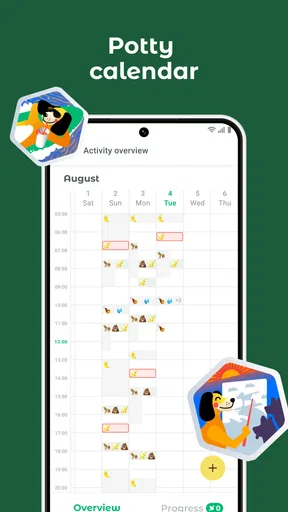
Keeping track of your pup’s progress is crucial, and Dogo excels in this area. The app provides detailed feedback on how your dog is doing, along with suggestions for improvement. It’s like having a personal dog trainer in your pocket!
There’s also a daily training plan feature that adjusts based on your dog’s progress. This personalized touch ensures that your training sessions are always on point.
Make progress useful outside the app
To get more from a plan, I’d note what happened in the real situation, not just whether a lesson was completed. Did the dog respond in a quiet room but struggle in the garden? Was the cue reliable when a toy was nearby? Those details help me decide whether to repeat an easier version or add a modest distraction. Progress is more useful when it reflects the dog’s behavior across settings, rather than a streak of completed activities.
A realistic everyday example is a puppy that pulls toward the front door when it is time for a walk. I could practice waiting calmly before opening the door, reward the pause, and gradually repeat the routine at the threshold. If excitement rises, I’d step back to an easier stage instead of expecting the puppy to manage the entire departure at once. The app can help me structure that practice; I still have to choose a safe pace and notice when the dog needs a break.
It’s worth asking what “personalized” should mean in practice. A plan can help organize what to work on next, but it cannot account for every change in the home, health, or environment. If a dog suddenly stops responding to a familiar cue, I wouldn’t assume the answer is simply more repetition. I’d consider whether the setting is too difficult, the dog is tired or distracted, or something else needs attention.
Where guided training has limits
Compared with a book or a free video search, Dogo brings lessons, a clicker, and a planned routine into one place. That convenience is its clearest advantage: I don’t have to assemble a training sequence from scattered clips and remember which step comes next. A book may be easier for someone who likes to read at their own pace, while a live trainer can observe timing and body language directly. The app sits between those options: more structured than browsing random advice, but less responsive than in-person coaching.
The phone itself can be a source of friction. Watching a tutorial, managing treats, and keeping an eye on a lively dog all at once can be awkward. I’d review instructions before bringing the dog into the practice area, then keep the screen out of the way. The built-in clicker is handy, though a phone is not always the easiest object to handle when I need both hands free or the dog is moving quickly.
There is also a difference between learning a trick and changing a difficult behavior. Basic cues and everyday manners are sensible goals for guided practice. A dog that is frightened, reactive, or unsafe around people or other animals needs a more tailored assessment than an app can provide. I would not use a training plan as a substitute for professional support in a high-risk situation.
Who will get the most from it
I think Dogo is best suited to owners who want a clear starting point, especially first-time puppy owners who are unsure how to turn advice into a repeatable routine. It can also suit a household that wants to practice the same simple cues and keep training from slipping off the daily schedule. The app is an education tool rather than a quick obedience fix, so it rewards people who are willing to practice patiently and adjust when their dog needs more time.
It may be less appealing if you already follow a trainer’s detailed plan, prefer printed instructions, or want someone to watch and correct your technique in person. It is also not ideal for someone expecting the app to train the dog automatically, or for owners who need immediate help with a serious behavior problem. Those users are better served by direct, qualified guidance, with an app used only as a supplement if appropriate.
Cost, access, and what to check first
Dogo is a free education app from developer Dogo, with in-app purchases ranging from $0.49 to $299.99 per item. I’d look at the available purchase details before committing, because the range is broad and the free starting point does not mean every lesson or tool will necessarily be included at no cost. If I’m trying it for a puppy, I’d first see whether the training approach and daily workflow suit our household before paying for anything.
It has a 4.6 average from around 127,000 ratings, and has been installed over 5 million times. Those figures suggest it has reached many dog owners, but they cannot tell me whether a particular lesson fits my dog’s temperament or my training goals. The app is rated for Everyone, and its current version is 10.39.0, with Android support beginning at version 7.0. I’d check that my device meets the requirement before planning to use it during a session.
Challenges and Realities
Now, let’s be real for a second. No app, no matter how amazing, can replace consistent, patient training from a dedicated owner. Dogo is a fantastic tool, but the magic happens when you pair it with genuine effort and love.
Additionally, while the app offers plenty of free content, some features do require a subscription. It’s a small price to pay for a well-behaved dog, but it’s something to consider if you’re on a budget.
Final Thoughts
In the world of dog training apps, Dogo — Puppy and Dog Training stands out as a top contender. Its mix of comprehensive training programs, interactive features, and community support makes it a must-have for any dog owner looking to improve their pet’s behavior.
While it’s not a magic wand, with a bit of dedication, Dogo can certainly make the journey to a well-trained dog a whole lot more enjoyable. So, if you’re ready to transform your little rascal into a model canine citizen, give Dogo a try.
Happy training!
Pros
- Easy-to-follow training programs.
- Wide variety of training exercises.
- User-friendly interface.
- Progress tracking for each dog.
- Supportive community features.
Cons
- Requires premium for full access.
- Limited offline functionality.
- Some features need internet.
- Can be overwhelming for novices.
- Notifications can be frequent.
FAQs for Dogo — Puppy and Dog Training
What features does the Dogo app offer for dog training?
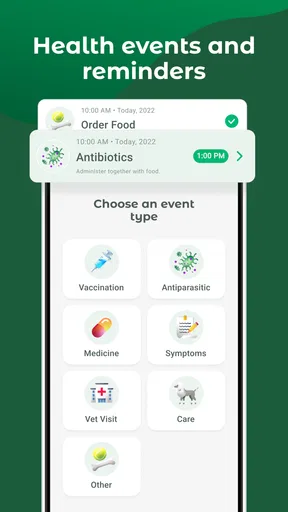
The Dogo app provides a comprehensive suite of training tools, including step-by-step video tutorials, positive reinforcement techniques, and a customizable training plan. It also offers a built-in clicker, progress tracking, and a community forum for advice and support from other dog owners and trainers.
Is Dogo suitable for all breeds and ages of dogs?
Yes, Dogo is designed to accommodate dogs of all breeds and ages. The app tailors its training programs to suit individual needs, helping to address specific behavioral issues or skill levels, whether you have a puppy or an older dog. It provides a flexible approach that can be adjusted as your dog progresses.
Does the Dogo app require an internet connection to function?
While some features of the Dogo app, such as downloading new content and accessing community forums, require an internet connection, many of the training exercises and videos can be accessed offline. This makes it convenient for users who want to train their dogs in areas with limited internet access.
Are there any in-app purchases or subscription fees in Dogo?
Dogo offers both free and premium content. While the basic features are available at no cost, there are subscription plans that unlock additional training courses, personalized feedback from professional trainers, and advanced features. Users can choose monthly or yearly plans based on their needs.
How effective is Dogo for improving dog behavior and training outcomes?
Many users have reported significant improvements in their dogs' behavior and obedience through consistent use of the Dogo app. The app’s structured programs and positive reinforcement methods are highly effective, particularly when used regularly. Success often depends on the owner's commitment to the training process.


